Wrike Pricing (2026): Every Plan, and What 3 to 20 People Pay
Wrike's five plans with the prices on its own pricing page on November 28, 2026, the seat groups that decide what a team of 3, 5, 8, 12 or 20 pays, and what costs extra.
By Opusite Team · Updated

Wrike costs $0 on Free, $10 a user a month on Team and $25 a user a month on Business, with both paid plans billed once a year, according to Wrike's pricing page on November 28, 2026. Pinnacle and Apex are priced by Wrike's sales team. The number that changes the bill is the seat group: Wrike sells seats in groups of five up to 30 seats, so a team of 8 pays for 10 seats, which is $1,200 a year on Team or $3,000 a year on Business.
Every price and limit below was read on Wrike's own pricing page, its plan comparison page and its help center. They are listed under Sources at the end.
The short answer
- Free: $0 for an unlimited number of users, with 200 active tasks for the whole account and one shared space.
- Team: $10 a user a month, billed yearly, for 2 to 15 users. Adds interactive Gantt charts, custom fields and workflows, shareable dashboards and AI Essentials.
- Business: $25 a user a month, yearly only, for 5 to 200 users. Adds AI Elite features with a starter pack of AI Elite actions, templates and standard integrations.
- Pinnacle and Apex: priced by Wrike's sales team. Pinnacle adds advanced resource and capacity planning, budgeting, advanced reporting and single sign-on; Apex adds Wrike Integrate, two-way sync and unlimited whiteboards.
- The catch for small teams: seats come in groups of five up to 30, so 3 people pay for 5 seats and 8 people pay for 10.
- Viewers are free. Anyone who only needs to view and comment does not take a paid seat.
Wrike's plans and prices, checked on November 28, 2026
Wrike's pricing page says the amounts are "priced per month and billed on an annual per-user basis", and that the prices apply only to new purchases made on or after January 21, 2026.
| Wrike plan | Price | Users | Storage | What it adds |
|---|---|---|---|---|
| Free | $0 | Unlimited | 2 GB for the account | Web, desktop and mobile apps; project and task management; board and table views; 200 active tasks for the account |
| Team | $10 a user a month, billed yearly | 2 to 15 | 2 GB a user | AI Essentials, a shareable dashboard, interactive Gantt charts, custom fields and workflows |
| Business | $25 a user a month, yearly only | 5 to 200 | 5 GB a user | AI Elite features with a starter pack of AI Elite actions, templates, standard integrations |
| Pinnacle | Priced by Wrike's sales team | Unlimited | 15 GB a user | Three times the AI Elite actions, advanced resource and capacity planning, budgeting, advanced reporting and BI, single sign-on, Wrike Datahub with 10,000 records |
| Apex | Priced by Wrike's sales team | Unlimited | 50 GB a user | Ten times the AI Elite actions, unlimited whiteboards, Wrike Integrate, two-way sync with other tools, Wrike Datahub with 30 million records |
Prices and what each plan adds are from Wrike's pricing page; user counts, storage, custom fields and workflows, single sign-on and Datahub records are from its plan comparison page. Wrike also sells more storage in 500 GB and 1 TB steps for a fee.
What a team of 3, 5, 8, 12 or 20 pays for Wrike
Wrike's pricing page says: "For accounts of up to 30 seats, subscriptions are sold in groups of five. For accounts of 30 to 100 seats, subscriptions are sold in groups of 10. For accounts above 100 seats, subscriptions are sold in groups of 25." So round your team up to the next group before you multiply.

| People on your team | Seats you buy | Team, a year | Business, a year |
|---|---|---|---|
| 3 | 5 | $600 | $1,500 |
| 5 | 5 | $600 | $1,500 |
| 8 | 10 | $1,200 | $3,000 |
| 12 | 15 | $1,800 | $4,500 |
| 20 | 20 | Not available (Team stops at 15 users) | $6,000 |
Each yearly figure is the seat count times the monthly price times 12. Sales tax is extra: Wrike's pricing page says its prices are in US dollars and do not include state or local taxes.
Two more things move the number. Business needs at least 5 users, so a team of 3 on Business still pays for 5. And Team stops at 15 users, so a team that will pass 15 within the year should price Business from the start.
Wrike lists Team for 2 to 15 users, and none of the Wrike pages we read says whether Team is sold in smaller steps than the groups of five. The table applies the pricing page's groups-of-five rule, so confirm the seat count at checkout if your team is 2 to 4 people.
Who needs a paid Wrike seat
Wrike's help center sorts people into full users and limited users:
- Full users (the account owner, admins, regular users and external users) each need a paid seat.
- Contributors can view, edit, comment on and approve the items shared with them. They need a paid seat, at a lower rate than a full user. The pricing page does not list that rate.
- Viewers can view and comment. Wrike says an unlimited number can be added for free, and reserves the right to limit them.
- Collaborators, an older limited license, are no longer offered to new accounts since January 20, 2025.
So count the people who will create and move work, not everyone who needs to see it. Clients and managers who only read and comment can be viewers.
What costs extra on Wrike
Wrike's pricing page says these add-ons are included with Apex, except Wrike Lock and the AI Elite action pack, or can be bought as paid add-ons to other plans. Its plan comparison page shows none of them on Free or Team.
- Wrike Whiteboard: $15 a user a month.
- Wrike Integrate: connects Wrike to other apps with no-code automations. Custom pricing.
- Wrike Two-Way Sync: two-way syncs with 21 other systems, including Jira and GitHub. Custom pricing.
- Wrike Datahub: in Wrike's words, it simplifies your data connection and reporting. Custom pricing. Pinnacle includes 10,000 records and Apex 30 million.
- Wrike Lock: manage your own encryption keys. Custom pricing; the comparison page marks it as a paid add-on for Pinnacle only.
- AI Elite action pack: more AI actions than your plan includes. Custom pricing.
Onboarding help is separate. Wrike's pricing page says it recommends that all new teams work with a consultant during onboarding, and insists that teams of 20 or more use a guided deployment. The page does not list a price for that service.
AI is partly included. Team includes AI Essentials. Wrike's pricing page says every plan from Business up includes a number of AI Elite actions, and that going past the limit does not trigger an automatic invoice: Wrike opens a discussion about usage instead.
What the Free plan includes, and where it stops
Wrike's help article on the Free plan lists, among other things, folders, projects, tasks and subtasks, comments, file sharing, live editing, table and board views, and the mobile apps. The limits are what push teams to pay:
- 200 active tasks for the whole account, subtasks included. Wrike's help center says that once you reach it, you cannot create new tasks until you complete, cancel or delete some, and a red banner warns you as you get close.
- One shared space for the team.
- 2 GB of storage for the account, not per user, by Wrike's plan comparison page.
- No Gantt chart and no custom fields or workflows. The comparison page starts those on Team.
Count your team's open tasks today, subtasks included, before you plan around Free.
The trial, buying and changing plans

- Trial: Wrike's pricing page offers a free two-week trial with no credit card. When it ends, the account is blocked until you downgrade to the Free plan or contact a Wrike representative; Wrike says your data remains intact while it is blocked.
- Buying online: the account owner buys Team or Business from Settings, then Subscription, in the workspace. Wrike's pricing page says that after a trial, Team and Business can be bought in your workspace for up to 15 users with no add-ons; its help center, updated October 22, 2026, says Business can be bought online for up to 20 seats. For more seats, and for Pinnacle and Apex, you contact Wrike's sales team.
- Going down: Wrike's help center says that to downgrade or reduce seats you contact your Renewals Manager or Account Manager, and that reducing seats is not allowed as a self-downgrade. You can move from Business to Team yourself only if the account has a yearly subscription, no more than 15 paid seats, no add-ons or extra services, and a renewable contract; the change takes effect at the next renewal.
Read that last point before you buy extra seats for growth: you can update a plan from the Subscription page, but removing seats goes through Wrike's account team.
When Wrike costs less than Opusite, and when Opusite is the better fit
We make Opusite, so read this section with that in mind.
If you only need project management, Wrike costs less. Opusite's Business plan is $150 a seat a month, or $1,500 a seat a year paid up front, sold in steps of 3, 6 or 9 seats, with 10 or more seats priced with you. At each team size where Opusite publishes a price, Wrike Business costs less:
| People on your team | Wrike Business, a year | Opusite Business, a year |
|---|---|---|
| 3 | $1,500 (5 seats) | $4,500 (3 seats) |
| 5 | $1,500 (5 seats) | $9,000 (6 seats) |
| 8 | $3,000 (10 seats) | $13,500 (9 seats) |
Opusite's prices are from its pricing page on November 28, 2026.
The comparison changes when project management is not the only tool you pay for. Opusite is one workspace for small teams in which the projects sit beside the CRM, invoices, a help desk, e-signatures, forms and team chat, all in the Business plan. A deal in the CRM has a Work items tab that lists the project tasks linked to it, created from the deal or linked by hand, and a task's page shows the deal, contact or company it is linked to.
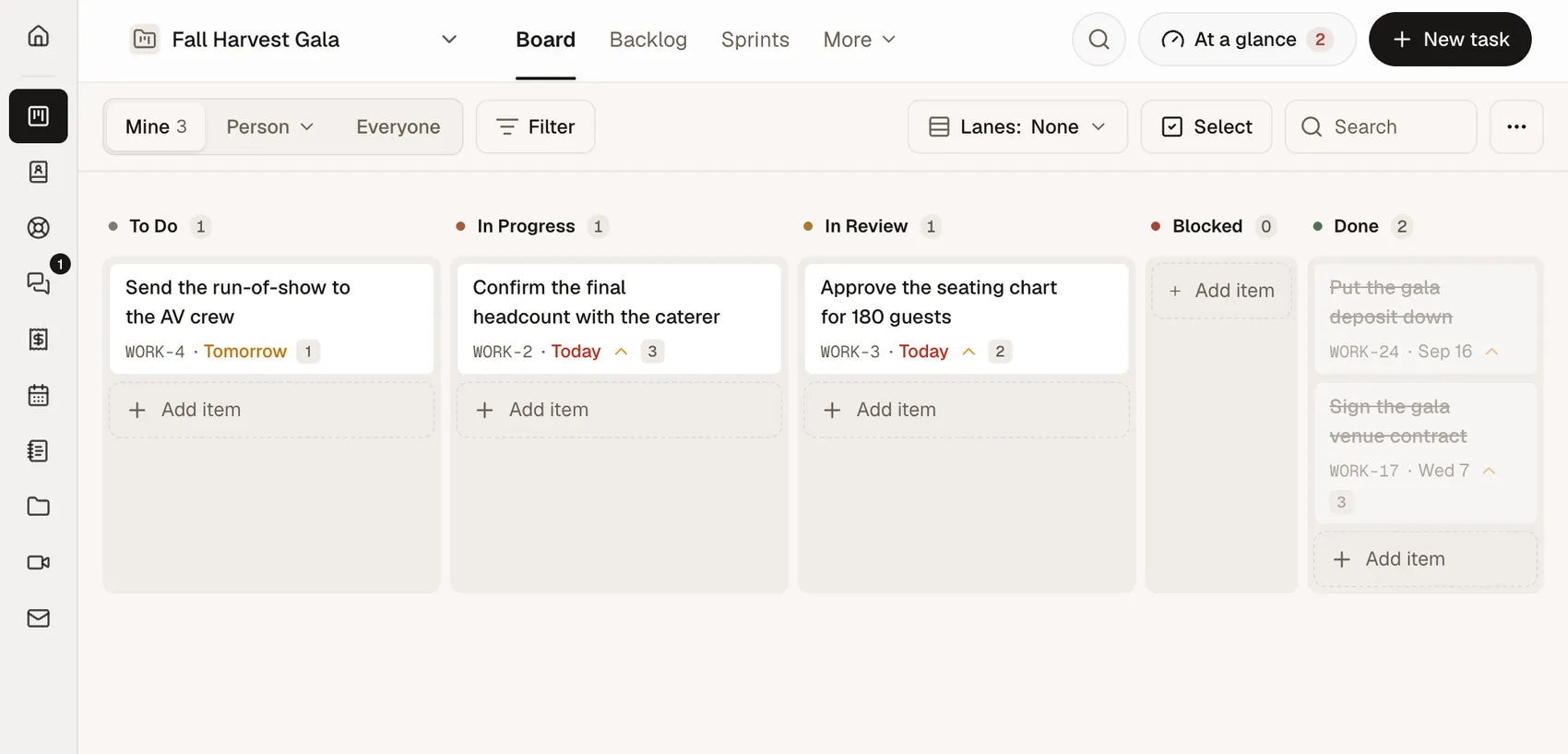
On the project side, Workbench has boards, sprints with capacity planning, a roadmap timeline, a project calendar and portfolio reports, according to Opusite's features page. That page does not list a Gantt chart, which Wrike includes from Team. If your planning depends on task dependencies drawn on a Gantt chart, Wrike is the stronger project tool.
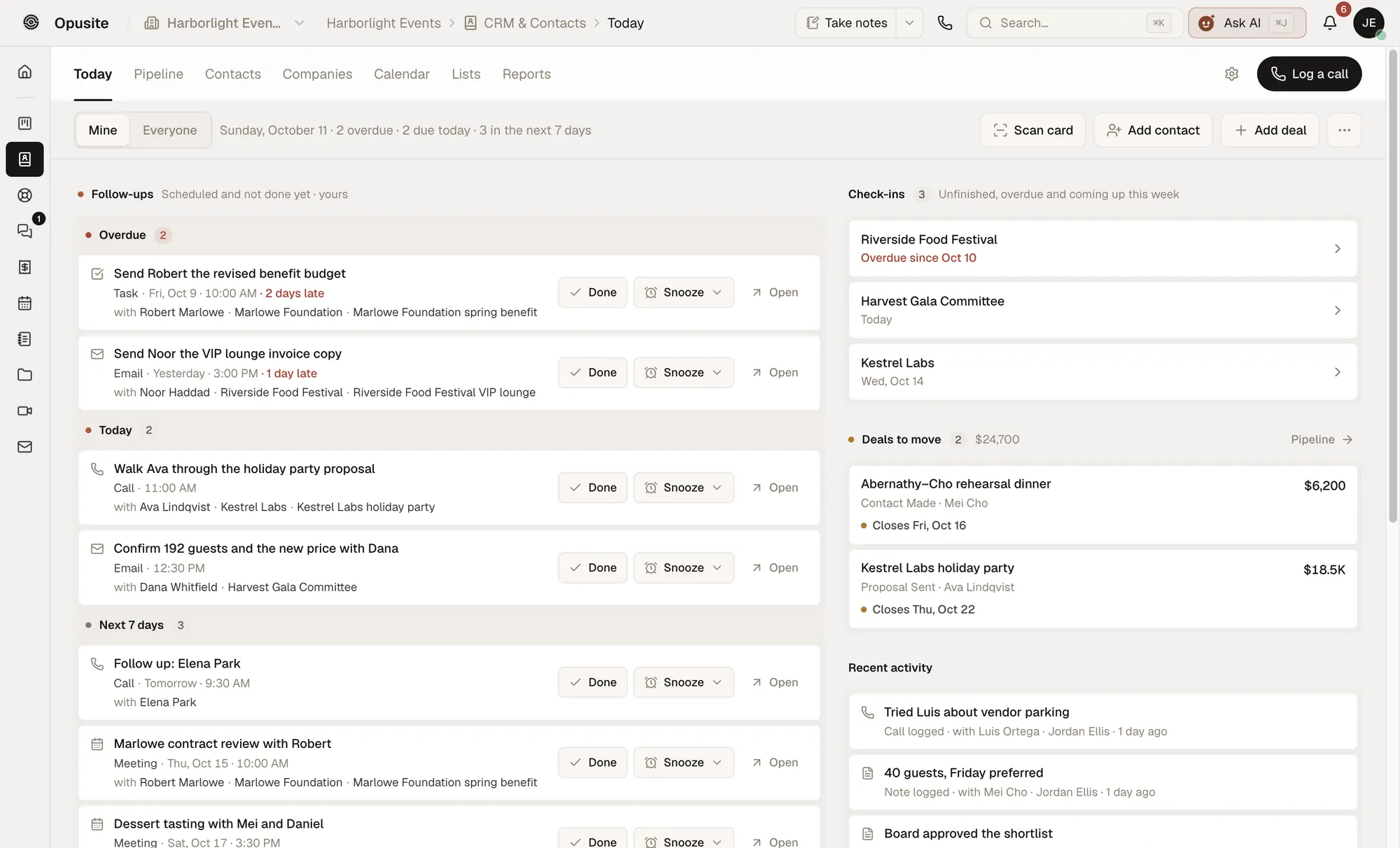
So the honest test is your whole bill. If your team pays for Wrike plus a CRM, an invoicing tool and a help desk, add those up and set the total beside Opusite. Our CRM with project management guide works through what teams of 5, 10 and 20 pay for those tools elsewhere. Opusite is invite-only today, so the way in is a demo call, not a sign-up button.
How we checked these prices
We read Wrike's US pricing page, its plan comparison page and four help center articles between 07:06 and 07:09 UTC on November 28, 2026 (just after 2 AM US Eastern time), from the United States. The pricing page shows only yearly-billed prices. Where two of Wrike's own pages disagree, as on the online purchase limit for Business, we give both. Wrike's pricing page says it may change its packaging and pricing at any time, so check it before you buy.
Sources
Read on November 28, 2026, from the United States.
- Wrike, Plans and Pricing: https://www.wrike.com/price/
- Wrike, plan comparison: https://www.wrike.com/comparison-table/
- Wrike Help Center, "Types of Plans in Wrike": https://help.wrike.com/hc/en-us/articles/209605669-Types-of-Plans-in-Wrike
- Wrike Help Center, "Free": https://help.wrike.com/hc/en-us/articles/1500004329142-Free
- Wrike Help Center, "Types of Licenses in Wrike": https://help.wrike.com/hc/en-us/articles/209603989-Types-of-Licenses-in-Wrike
- Wrike Help Center, "Purchasing, Upgrading, and Managing Subscription": https://help.wrike.com/hc/en-us/articles/209605689-Purchasing-Upgrading-and-Managing-Subscription
- Opusite pricing: /pricing and features: /features
Questions people ask
- How much does Wrike cost per user?
- Wrike's pricing page lists Team at $10 a user a month and Business at $25 a user a month, both billed once a year. Free costs nothing. Pinnacle and Apex are priced by Wrike's sales team. The page says these prices apply to new purchases made on or after January 21, 2026.
- Is Wrike free?
- Wrike has a free plan. Its plan comparison page lists unlimited users and 2 GB of storage for the account, and its help center says the Free plan has one shared space and a limit of 200 active tasks, subtasks included. Once the account reaches 200 active tasks, no new task can be created until some are completed, cancelled or deleted.
- Can I pay for Wrike monthly?
- Not on Business or higher. Wrike's pricing page says Business plans and above are only available as annual subscriptions, and its listed prices are billed on an annual per-user basis. The page does not show a monthly price for Team.
- Why does a team of 8 pay for 10 Wrike seats?
- Wrike's pricing page says accounts of up to 30 seats are sold in groups of five, accounts of 30 to 100 seats in groups of 10, and larger accounts in groups of 25. A team of 8 therefore buys 10 seats: $1,200 a year on Team or $3,000 a year on Business.
- Do viewers need a paid Wrike seat?
- No. Wrike's help center says viewers can view and comment on work and that an unlimited number can be added for free, though Wrike reserves the right to limit them. Contributors, who can also edit and approve the items shared with them, need a paid seat at a lower rate than a full user.
- Does Wrike charge extra for AI?
- Team includes AI Essentials. Wrike's pricing page says every plan from Business up includes a number of AI Elite actions, sells more actions as an add-on, and does not invoice automatically when a plan's limit is passed: it opens a discussion about usage instead.