Guide
CRM with project management for small teams
A CRM with project management keeps the deal and the work that delivers it on the same customer record. When a deal is won, the people doing the work start with everything sales knew, and sales can see how the work is going without asking.
By the Opusite team · Updated · Prices checked on each vendor’s own page that day
We make Opusite, one of the tools compared below. Every price links to its source, and we say where another option fits better.
The short answer
- What it is
- One system where a deal and the work that delivers it point at the same customer, so delivery starts with what sales knew and sales can see how the work is going.
- One platform fits when
- the same few people sell and deliver, you win a handful of deals a month, and nobody has time to look after an integration.
- Two connected tools fit when
- your sellers already depend on a sales-first CRM’s sequences and reports, or delivery already runs in a project tool your clients are invited into.
- Either way
- decide what starts the handoff (deal won, contract signed or deposit paid) and who checks the handoff is complete, then run the 15-minute test below in a free trial before you pay.
The idea
What a CRM with project management does
A CRM answers who your customers are, what you are selling them and where each deal stands. Project management answers who is doing what, by when, and what is stuck. Most small teams run the two in different tools, and the gap between them opens the moment a deal is won.
That gap costs time. In a Harvard Business Review study of 137 people, workers switched between apps about 1,200 times a day, which added up to nearly four hours a week getting back on track.21 Asana’s survey of 13,123 knowledge workers found 60 percent of their time went on coordinating work rather than doing it.22 Salesforce’s survey of 5,500 sales professionals found reps spend 70% of their time on tasks other than selling.23
“Joined” should mean all of this, not a sync that runs at night:
- A project or task can point at the deal, the contact and the company it is for.
- The deal shows the work linked to it and where each piece stands.
- The task shows who the customer is, without a second login.
- One set of permissions decides who sees deal values and who sees only the work.
- One customer record collects the deal history, the tasks, the files and the invoices.
Deal · Won
Riverside Food Festival VIP lounge
- Value
- $24,000
- Contact
- Noor Haddad
- Company
- Riverside Food Festival
- Proposal
- Signed, attached
Project work
- Walk the lounge space with the clientDone
- Confirm the VIP guest listIn progress
- Order furniture and lightingTo do
- Invoice the 50% depositDone
The handoff
What has to carry over when a deal is won
Most comparisons stop at “seamless handoff”. This is the list of what delivery actually needs from sales, and where each item should live once the work starts. In Rocketlane’s 2025 survey of more than 950 onboarding leaders and practitioners, 45% said they still struggle with information scattered across tools.25 HubSpot describes a customer whose sales team tracked delivery with an extra stage after closed won and found it “created issues with data quality”.2
Billing company and billing contact
Invoices go to the right business and the right person.
Lives in: CRM
Decision-maker and day-to-day contact
Who approves the work is often not who you work with every day.
Lives in: CRM
Signed proposal or statement of work, with its line items
It is the definition of done.
Lives in: Files, linked to the deal and the project
Price and how it is billed: fixed fee, hourly, retainer or milestones
It decides what you track during delivery and when you invoice.
Lives in: CRM deal, then invoices
Deposit and payment terms, and whether the deposit is paid
Many teams do not start work until it is.
Lives in: Invoices or accounting
Promised start date and deadlines
Sales promised them; delivery has to hit them.
Lives in: Project
What is in scope, and what is explicitly out
It settles scope-creep arguments before they start.
Lives in: Project brief
What you need from the client: assets, access, approvals
Waiting on these is the usual cause of a slow first week.
Lives in: Project tasks (logins in a password vault, never in notes)
Notes from sales calls, risks and red flags
Delivery learns what the client cares about without asking again.
Lives in: CRM activity history
Who owns delivery
One named person, so the client knows who to call.
Lives in: Project owner
Renewal or follow-on date
The next sale starts from the work you deliver now.
Lives in: CRM
Decide three things before you buy anything
- What starts the handoff: the deal marked won, the contract signed, or the deposit paid. Pick one and use it every time.
- Who checks the handoff is complete before work starts. One named person, usually whoever will own delivery.
- Where each item lives afterwards, and how a change in scope during delivery gets back into the deal’s value and the next sale.
What stays with sales
Discount reasoning, negotiation notes and commission do not belong in front of the whole delivery team. Set permissions so delivery sees the customer, the scope and the dates, not the margin talk. And if you sell and deliver yourself, the risk is promises that were never written down: use the list above as your kickoff checklist.
Two tools
What breaks when the two are separate tools
Connecting a CRM to a project tool works, and for some teams it is the right call. These are the failure points to plan for.
- Sync runs one way, or both tools edit the same contact and nobody knows which copy wins.
- Someone renames a pipeline stage or a custom field and the mapping quietly stops working.
- A deal is reopened and won again, and a second project appears.
- A deal entered as already won never fires the “stage changed” trigger, so no project appears at all.
- One deal needs two projects (a retainer and a one-off), or one project serves two deals.
- Structured fields sync, but the proposal file, the emails and the call notes stay behind.
- The connector checks for changes on a timer, so the project shows up minutes or hours later.
- The middleware hits its monthly task limit or an error, and nobody is told the sync stopped.
- People who need both tools need a paid seat in both.
- The connector, or the automation that uses it, is only included on a higher plan.
A 15-minute test to run in any free trial
- Make a test company, a contact and a deal with a value, a close date, one note and one attached file.
- Mark the deal won. Separately, enter a second deal that is already won.
- Open the project side. Write down which fields arrived, whether the file and the note came across, and how long it took.
- Change the contact’s phone number in each tool and see which change survives.
- Rename a pipeline stage and repeat step 2.
- Reopen the first deal and win it again. Count the projects.
- Sign in as someone who only delivers. Check whether they can see the deal value, and whether they should.
Run it on every tool on your shortlist, including ours. What arrives without anyone copying it is the real difference.
Cost
What it costs at 5, 10 and 20 people
Monthly cost in US dollars, billed yearly, before tax, from each vendor’s pricing page on . It assumes every person has a seat in every tool, which is how most teams end up once delivery needs the customer record. Seats people barely use add up: Zylo’s 2026 index, weighted toward larger companies, found organizations leave 36% of their SaaS licenses unused, with median SaaS spend of $9,455 per employee.24
HubSpot Sales Hub Starter (projects included)1,2
$7 per seat
- 5 people
- $35
- 10 people
- $70
- 20 people
- $140
Shown against a crossed-out $20 list price; at $20 it is $100, $200 and $400.
HubSpot Sales Hub Professional (needed to create the project automatically)1,2
$90 per seat
- 5 people
- $450
- 10 people
- $900
- 20 people
- $1,800
Plus a required one-time onboarding fee of $1,500.
Zoho CRM Standard + Zoho Projects Premium3,4,7
$14 + $4
- 5 people
- $90
- 10 people
- $180
- 20 people
- $360
Two subscriptions. Creating the project automatically takes a custom function on Zoho CRM Enterprise.
Zoho One (all-employee pricing)5
$37 per employee
- 5 people
- $185
- 10 people
- $370
- 20 people
- $740
Every employee on payroll must be licensed, not just the people who use it.
monday CRM Basic + monday work management Basic8,9
$12 + $9
- 5 people
- $105
- 10 people
- $210
- 20 people
- $420
Two products. Plans start from 3 seats.
monday CRM Standard + monday work management Standard8,9
$17 + $12
- 5 people
- $145
- 10 people
- $290
- 20 people
- $580
Work management Standard is a special offer at $12; the regular price shown is $14.
$12 per user
- 5 people
- $60
- 10 people
- $120
- 20 people
- $240
You build the CRM yourself from lists, fields and templates.
Odoo Standard (all apps)13
$24.90 per user
- 5 people
- $124.50
- 10 people
- $249
- 20 people
- $498
Discount for the first 12 months; after that $31.10 per user ($155.50, $311, $622).
Insightly Plus (projects included)15
$29 per user
- 5 people
- $145
- 10 people
- $290
- 20 people
- $580
Project management is listed on the Plus plan.
Bitrix24 (flat price per company)17
Flat fee
- 5 people
- $49
- 10 people
- $99
- 20 people
- $99
Basic covers 5 users; Standard covers up to 50 users.
Salesforce Starter Suite + a project app19,20
$25 per user + app
- 5 people
- $125 + app
- 10 people
- $250 + app
- 20 people
- $500 + app
No full project management built in; teams add an AppExchange app.
Opusite
By quote: email sales@opusite.com with your team size and the tools you want. A workspace to look around in needs no credit card.
If you connect two tools with middleware such as Zapier or Make, add its plan, sized to how many deals you win a month.
Compared
The options, compared
How each product puts the CRM and the projects together, and what actually happens when a deal is won. Prices are in the cost table above.
HubSpot
One product. Projects are their own record type, available on every plan including the free one, and they link to deals, contacts and tasks.
- When a deal is won
- Automatic through a workflow (deal stage is Closed won, then “Create record: Project”). Workflows need Professional or Enterprise.2
- Good fit
- Sales-led teams that also want HubSpot’s marketing and email tools.
- Watch for
- The jump from Starter to Professional to automate the handoff.
Zoho CRM + Zoho Projects (or Zoho One)
Two apps joined by Zoho’s own integration, or bundled together in Zoho One with Zoho’s other apps.
- When a deal is won
- A “New Project” button on the deal, optionally from a project template. Automatic creation needs a custom function and a workflow rule, on Enterprise and above.6,7
- Good fit
- Teams that want the lowest per-seat price for a full CRM and a full project tool.
- Watch for
- Two data models to set up, and Zoho One’s rule that every employee is licensed.
monday CRM + monday work management
Two products on one platform. Deals and projects are separate boards connected by linked columns.
- When a deal is won
- The Ultimate plan (custom price) moves a won deal to a client onboarding board automatically. On other plans you build the automation.10
- Good fit
- Teams that already plan their work on monday boards.
- Watch for
- Two subscriptions, and the ready-made handoff sits on the top plan.
ClickUp
One workspace. The CRM is lists and custom fields you set up from a template, next to your tasks and docs.
- When a deal is won
- Built with ClickUp automations that you set up: for example, a deal status change that creates the delivery tasks in another list.
- Good fit
- Delivery-heavy teams that sell a few deals a month.
- Watch for
- You design and maintain the CRM yourself.
Odoo
One database with separate CRM, Sales and Project apps that share contacts.
- When a deal is won
- A service product set to “Create on Order: Project & Task” creates the project when a sales order is made. Marking the CRM opportunity won does not.14
- Good fit
- Teams that also want invoicing, timesheets or inventory in the same system.
- Watch for
- Setup effort, and the first-year discount ending.
Insightly
One product. Projects are native records next to opportunities.
- When a deal is won
- Convert an opportunity to a project in one step: the project is created and linked, the opportunity is marked won, and you can bring its emails, notes and files.16
- Good fit
- Small teams that want a traditional CRM with simple projects attached.
- Watch for
- The conversion is a manual step someone has to remember.
Bitrix24
One product with CRM, tasks and projects (workgroups), priced per company instead of per user.
- When a deal is won
- Bitrix24 documents creating a workgroup automatically when a deal is won, using its CRM automation.18
- Good fit
- Price-sensitive teams of 6 to 50, where a flat fee beats per-seat pricing.
- Watch for
- Check which plan includes the automation you need before you count on it.
Salesforce
CRM only in Starter and Pro Suite. Projects come from an AppExchange app or a custom build.
- When a deal is won
- Through the add-on app (TaskRay, Milestones PM+ and others) or your own flow.20
- Good fit
- Teams that need Salesforce for other reasons and have someone to run it.
- Watch for
- The app’s cost and the admin time on top of the CRM.
Opusite
One workspace. The CRM and Workbench (projects) share the same contacts, companies and deals, alongside help desk, invoices, docs and chat.
- When a deal is won
- Link the project’s tasks to the deal, contact and company from the deal or from the task. Winning a deal does not create the project by itself yet.
- Good fit
- Teams of 5 to 20 who want sales, delivery, support and invoicing on one customer record.
- Watch for
- Pricing is by quote rather than a public price list.
ClickUp describes its CRM as “One record from the first call through to the final deliverable.”12 Several products now aim at the same gap; the trial test above is the fairest way to tell them apart.
Opusite
How Opusite connects deals and projects
The CRM and Workbench, Opusite’s project management, are two tools in one workspace that share the same contacts, companies and deals.
Everything in the CRM and WorkbenchThe deal lives in the pipeline
Contacts, companies and deals on a pipeline board with a weighted forecast, won and lost reasons and stage history. The Today screen shows which follow-ups are due.
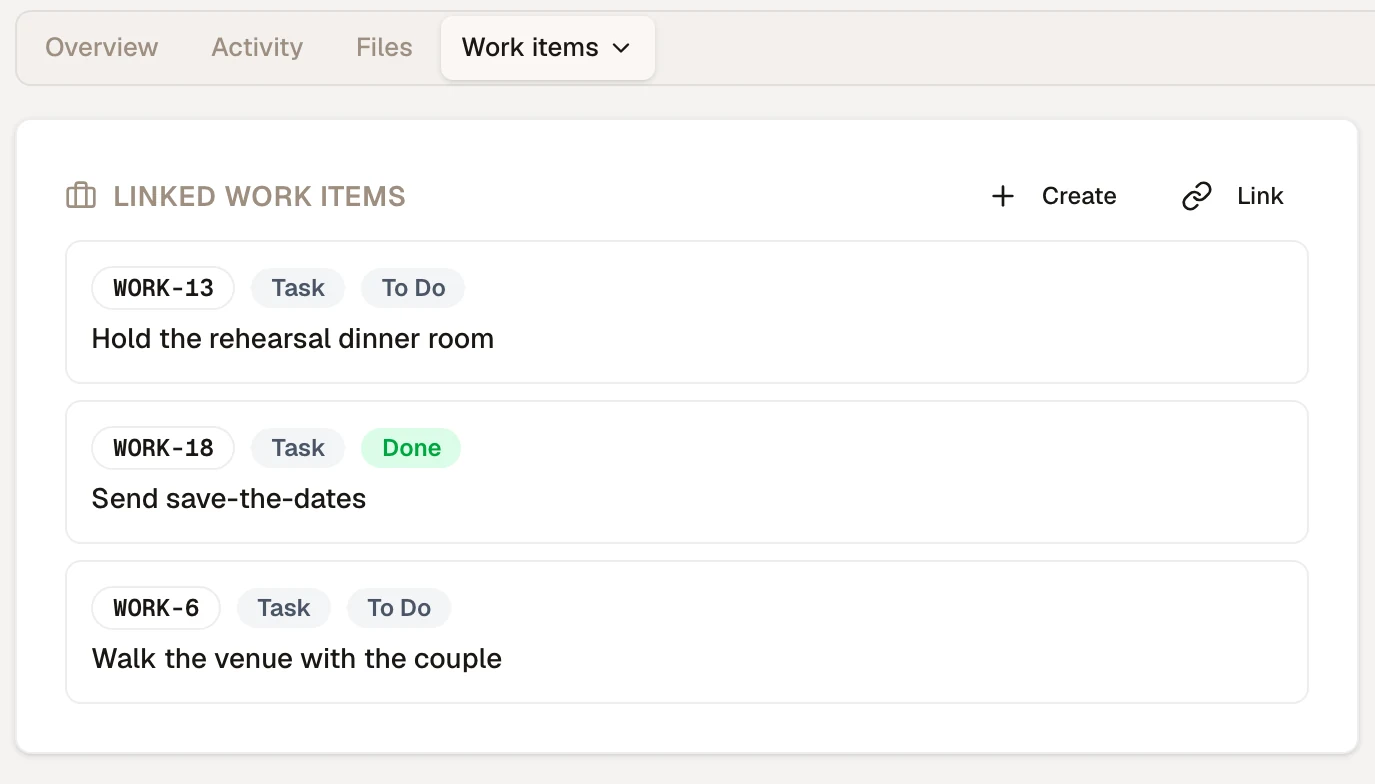
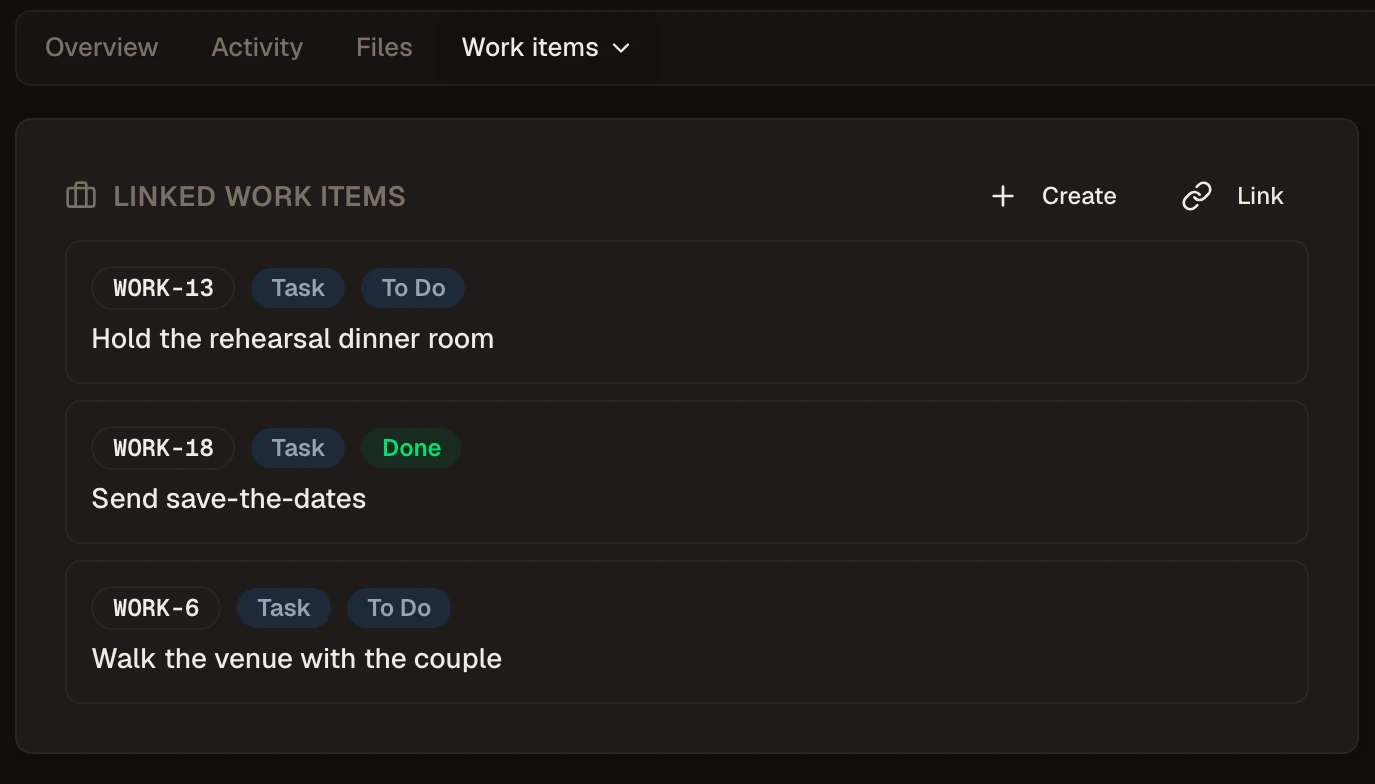
The deal lists its work
A deal’s Work items tab shows every project task linked to it and where each one stands. Use Link to attach work that already exists.
The task knows its customer
Open any task and link it to the contact, company or deal it is for. The task page shows those records, one click from the customer.
One record for the customer
The customer’s page collects every task, survey, invoice, file and comment for that customer.
Support feeds delivery
A help desk ticket that turns into real work can be escalated into a project task.
Each person sees what they should
Owner, Admin, Member, Viewer and Guest roles, plus Full, View only or No access per person in each tool. Delivery can work on the project without editing the pipeline.
Where Opusite is not the right pick
- Winning a deal does not create the project by itself yet. You link the work from the deal or from the task.
- Pricing is by quote, so you email us rather than read a price list.
- If your sellers run on HubSpot’s or Salesforce’s sales tools every day, keeping that CRM and connecting a project tool may disrupt them less.
Your team
Which setup fits your team
You sell and deliver yourself (1 to 5 people, a few wins a month)
A spreadsheet or a free CRM plus a project tool is fine. Your risk is not lost context between people but promises that were never written down, so use the carry-over list above as your kickoff checklist. One platform starts paying off when a second person sells or runs projects.
Agency or studio on projects and retainers (5 to 20 people)
Look for one place where the client record, the projects, the files and the invoices sit together, with recurring work for retainers and guest access for clients. Check what a client can see before you invite one.
Contractor or field crew
Check the jobs side specifically: scheduling visits, assigning crew, photos and checklists on site, deposits and change orders. A CRM with generic tasks will not cover a job site.
Consultancy or professional services billed by the hour
Time tracking tied to the engagement and to the invoice matters more than the pipeline. Test logging a week of hours and billing them before you choose.
Sales-led team with dedicated sellers
Keep a sales-first CRM and connect a project tool, and budget for the plan that includes the automation. Your sellers’ sequences and reports are worth more than one fewer login.
Questions
Can a CRM be used for project management?
For light work, yes: most CRMs can hold tasks and follow-ups on a contact. Tasks in a CRM are usually reminders for salespeople, though, without boards, timelines, workload or several people on one piece of work. If you deliver projects with several people and dates, you need project management built into the CRM (HubSpot, Insightly, Bitrix24, Odoo and Opusite have it) or a project tool connected to it.
Which CRM is best for project management?
It depends on who you are. Sales-led teams that already use HubSpot can turn on its projects object and automate the handoff on Professional. Teams that want the lowest per-seat price can pair Zoho CRM with Zoho Projects. Delivery-heavy teams often start from a project tool such as ClickUp and add a simple CRM. Small teams that want sales, delivery, support and invoicing on one customer record look at all-in-one workspaces such as Odoo, Bitrix24 or Opusite.
Can I use Excel as a CRM?
Yes, while one person sells and you have a few dozen customers. A spreadsheet breaks down when several people edit it at once, when you need reminders for follow-ups, or when you need the history of who said what to a client. Most teams move off it when a second person starts selling or when deals start overlapping with projects.
What is the difference between a CRM and project management software?
A CRM tracks who your customers are, what you are selling them and where each deal stands. Project management software tracks the work: who is doing what, by when, and what is blocked. A CRM with project management connects the two on the same customer, so the work that delivers a deal can be found from the deal and the other way round.
How much does a CRM with project management cost?
On October 5, 2026, billed yearly, a 10-person team paid about $70 to $900 a month for HubSpot (Starter or Professional), $180 for Zoho CRM Standard plus Zoho Projects Premium, $210 to $290 for monday CRM plus work management, $120 for ClickUp Business, $249 for Odoo Standard in its first year, $290 for Insightly Plus and $99 for Bitrix24 Standard. Automating the handoff often needs a higher plan.
Is there a free CRM with project management?
Several have free plans: HubSpot’s free plan (up to 2 users) includes the projects object, ClickUp has a Free Forever plan, Zoho CRM is free for 3 users and Zoho Projects for up to 5 users and 3 projects, and Bitrix24 is free for 1 to 2 users. Odoo’s free plan covers one app only, so not both. Free plans leave out the automation that creates a project when a deal is won.
Do I need Zapier to connect my CRM and project tool?
Only if the two tools have no built-in connector, or the connector cannot do what you need. Middleware adds a monthly cost, a task limit, and one more place where a sync can fail without anyone noticing. If you use it, decide who gets the alert when a run fails.
Sources
Each page was read on . Vendors change prices often; check the source before you buy.
- 1.HubSpot, Sales Hub pricing
- 2.HubSpot Knowledge Base, “Understand and use the projects object” (updated September 18, 2026)
- 3.Zoho CRM pricing
- 4.Zoho Projects pricing
- 5.Zoho One pricing
- 6.Zoho Help, using the Zoho Projects integration in Zoho CRM
- 7.Zoho CRM solutions, creating Zoho Projects tasks from deals with a custom function
- 8.monday CRM pricing
- 9.monday.com pricing (work management)
- 10.monday.com Support, “monday CRM Ultimate”
- 11.ClickUp pricing
- 12.ClickUp CRM
- 13.Odoo pricing
- 14.Odoo 19 documentation, time and materials invoicing (“Create on Order”)
- 15.Insightly pricing
- 16.Insightly, converting an opportunity to a project
- 17.Bitrix24 pricing
- 18.Bitrix24 Helpdesk, “Closed won deals workflow”
- 19.Salesforce, small business pricing
- 20.Salesforce Ben (independent), “Can Salesforce do project management?”
- 21.Harvard Business Review, “How Much Time and Energy Do We Waste Toggling Between Applications?” (August 2022)
- 22.Asana, Anatomy of Work Index 2021 (press release)
- 23.Salesforce, State of Sales, 6th edition (July 2024)
- 24.Zylo, 2026 SaaS Management Index (January 2026)
- 25.Rocketlane, State of Customer Onboarding 2025
Deals and delivery, one record.
Create a workspace without a credit card and run the 15-minute test on Opusite. For team pricing, email sales@opusite.com.